Lock what's private.

Lock a DM or private channel, and only the people in it can read it. Not your admin, not whoever runs your Cloudflare account, and not us.

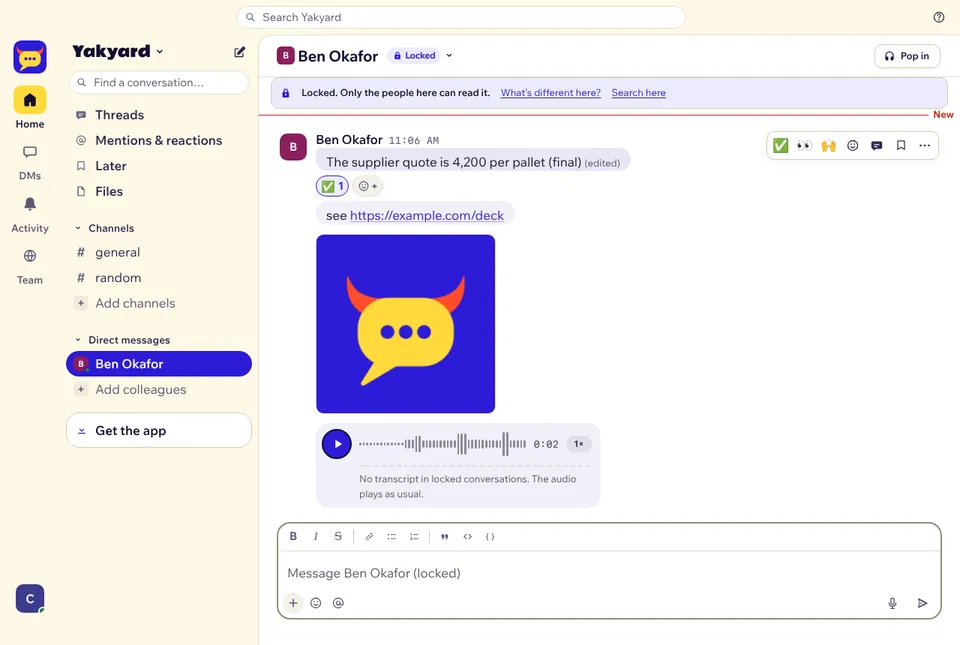
A locked DM: a Locked tag in the header, a banner that says only the people here can read it, a photo and a voice note

Some talks belong to the people in them.

Pay, hiring, a client's numbers. Until now, anyone with access to your Cloudflare account could read every message. Tick "Lock it" when you start a DM or a private channel, and messages, edits, reactions, files and voice notes are scrambled on your device before they leave it.

Two approvals, never one click

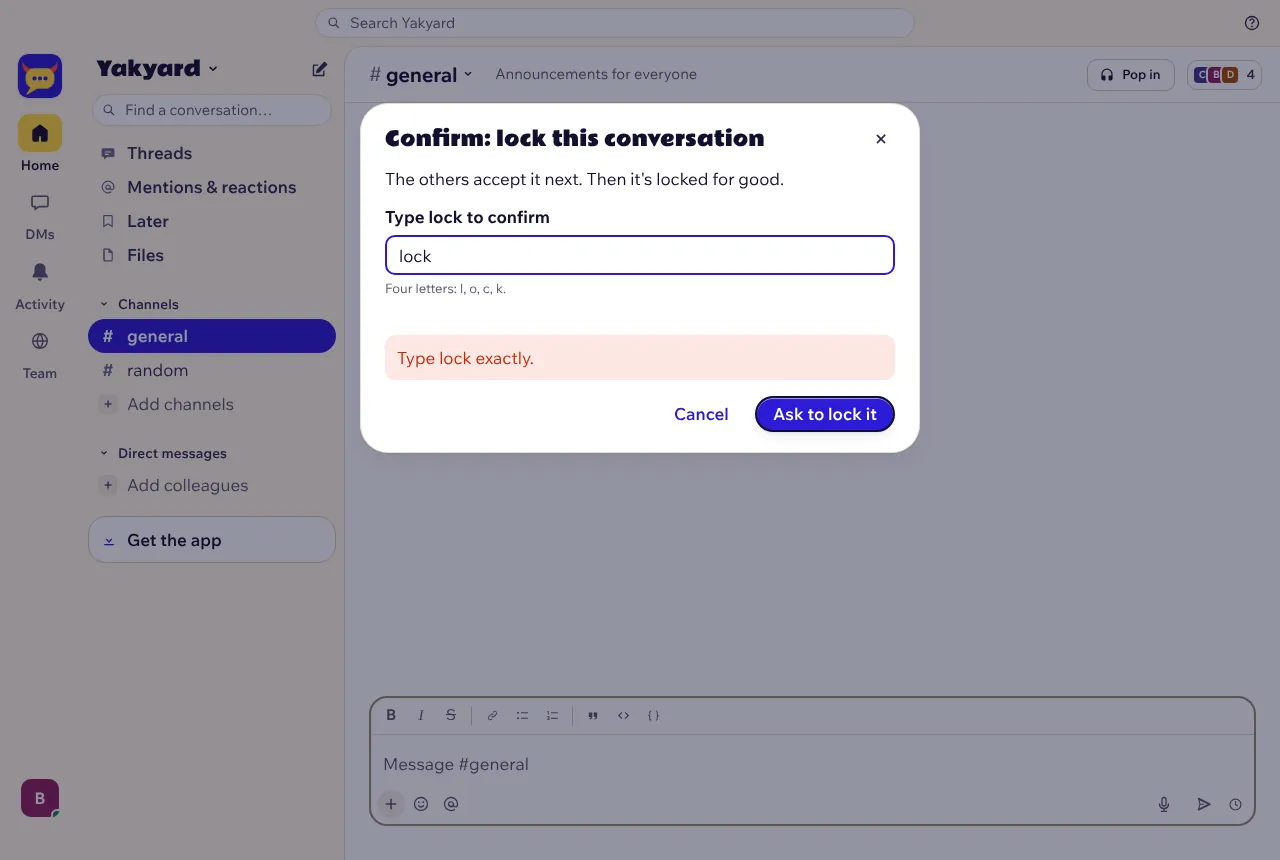
You read what works and what doesn't and tick "I understand". You type the channel name, or lock for a DM. Then a second person agrees: an admin for a channel, everyone in it for a DM. Each step shows up in the conversation.

Step two: type lock to confirm

A recovery key

The first time you lock, you get a recovery key with Copy and Download buttons, then a check that you saved it. On a new phone, type the key, or approve it from a device you already use after you both compare a 20-digit code.

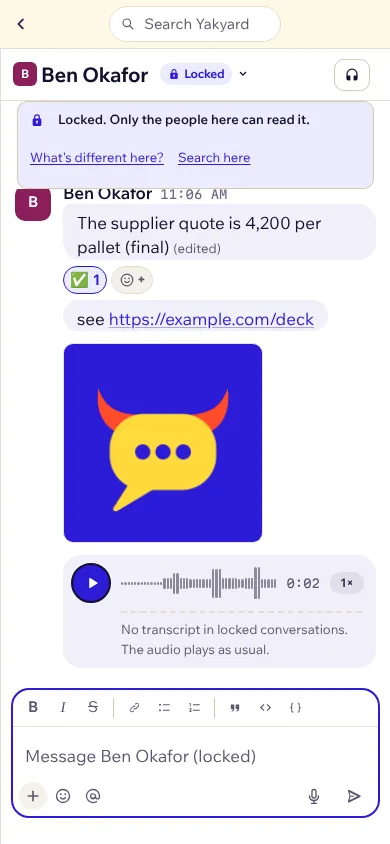
A locked DM on a phone

The owner decides

Locking is off by default. The owner turns it on in Admin, with the same two steps. When you remove someone from a locked channel, the messages after that use new keys they can't open.

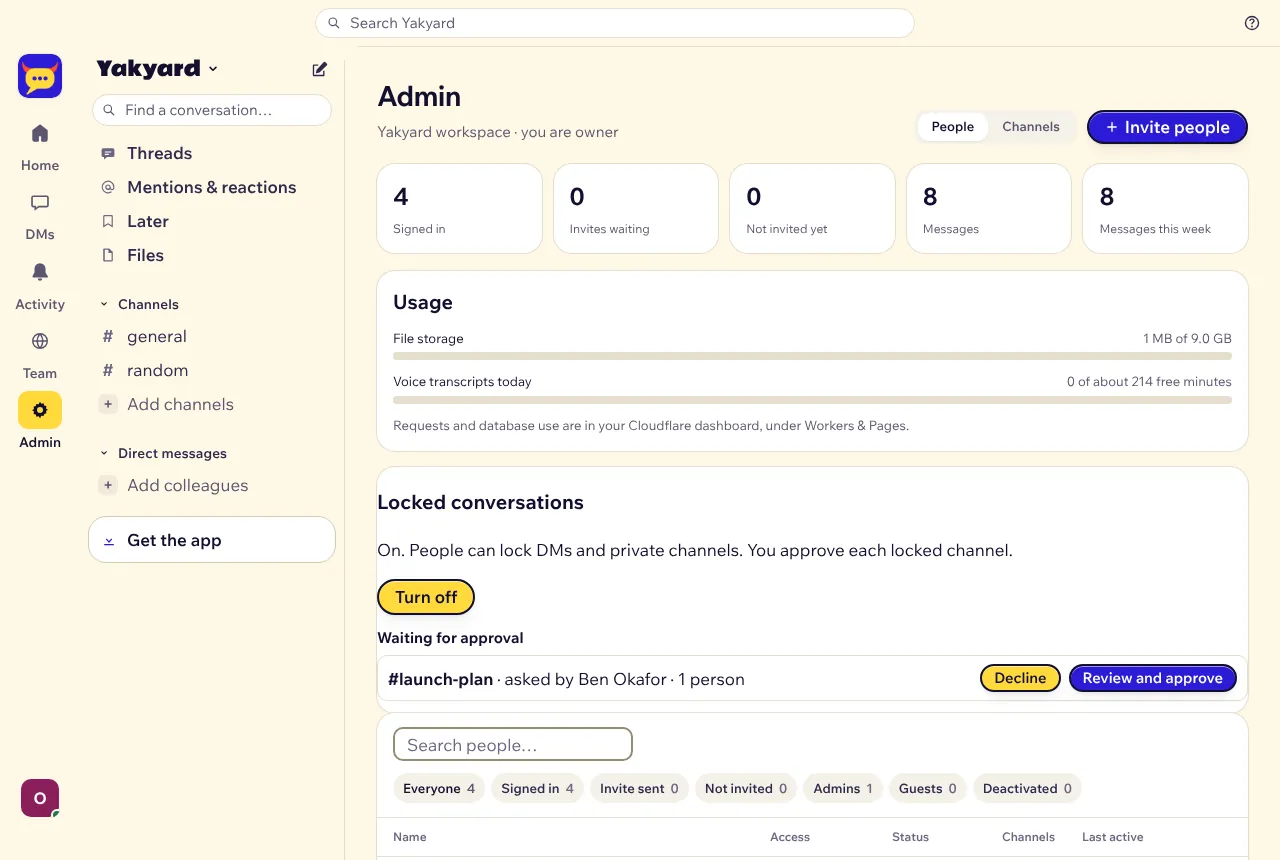
An admin approving a locked channel

The app says what works differently

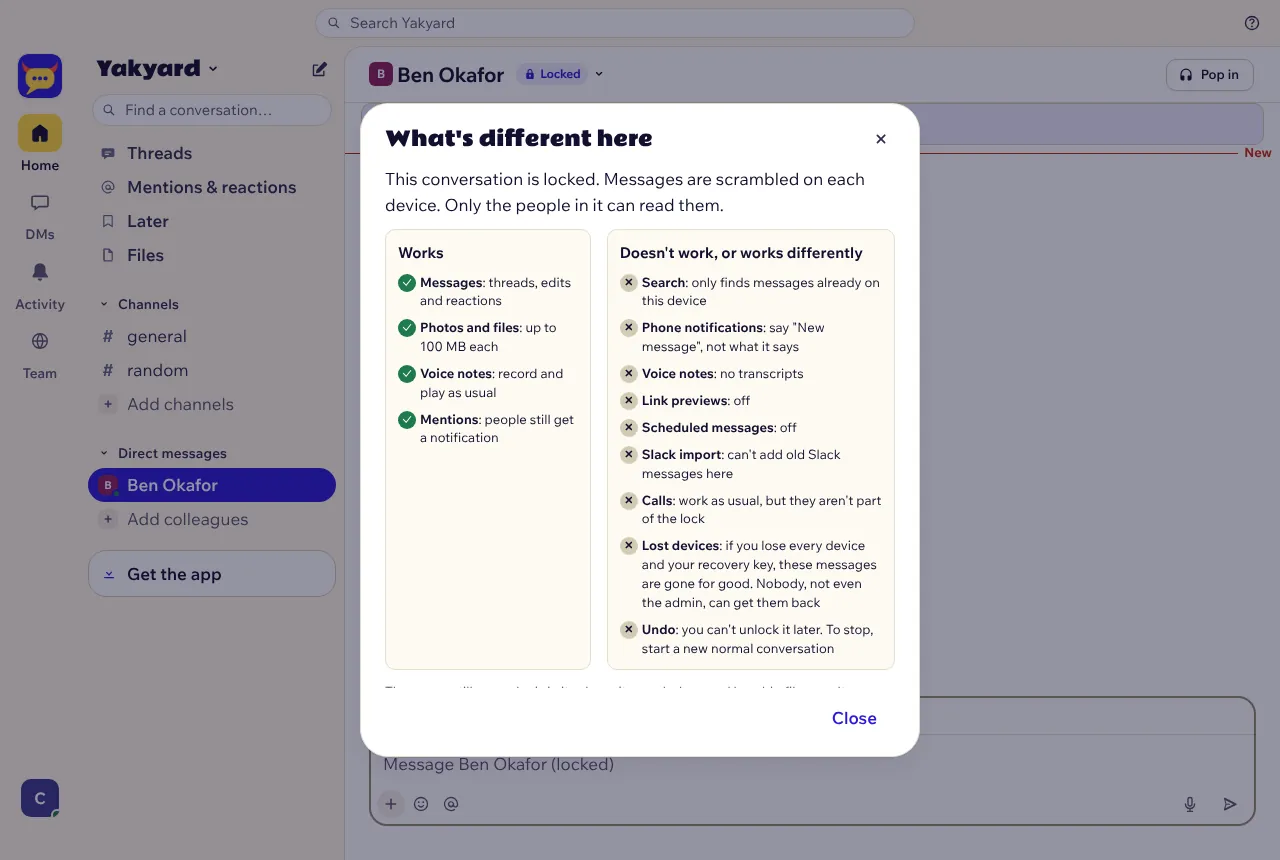
A banner links to "What's different here?". "Search here" looks through messages on your own device. Voice notes say why they have no transcript. Link previews are off, and the message box says so. Notifications only say "New message in a locked conversation". The Slack import skips locked conversations and tells you why.


The What's different here panel

Before you lock.

  • If you lose every device and your recovery key, your locked messages are gone for good. Nobody can bring them back, your admin included.
  • The server still sees who is in a locked conversation, who writes and when, and how big the files are. It never sees what anyone writes.
  • A locked conversation stays locked. Calls work as usual, but the lock doesn't cover them.
  • Outside experts audited the encryption library underneath. Yakyard's own code around it hasn't had an outside audit yet, and we've applied for one.

Under the hood.

For the people who check these things.

  • Olm and Megolm from vodozemac 0.11.2, the library behind Element's encryption. It's Apache-2.0, was audited by Least Authority in 2022, and runs as WebAssembly: 131 KB gzipped, loaded only when you open a locked conversation. All of it runs in the browser, so Yakyard still fits Cloudflare's free plan.
  • The locking package is Apache-2.0, so anyone can read and reuse it: packages/yakyard-lock.
  • A web app gets its code from its server. Yakyard shows a security code that changes whenever the locking code does, and npm run lock:verify checks a running server against this release's hashes.
  • CodeQL, Semgrep, OpenSSF Scorecard and Dependabot now check every change. The full design and threat model are in Locked conversations.

Update.

The update adds the new tables by itself. Then, as the owner, open Admin, go to Locked conversations and choose "Turn on".

npm run backup
npm run update

New to Yakyard? Setup takes about 30 minutes, no coding.